
Install the StarsPaymee app on Android
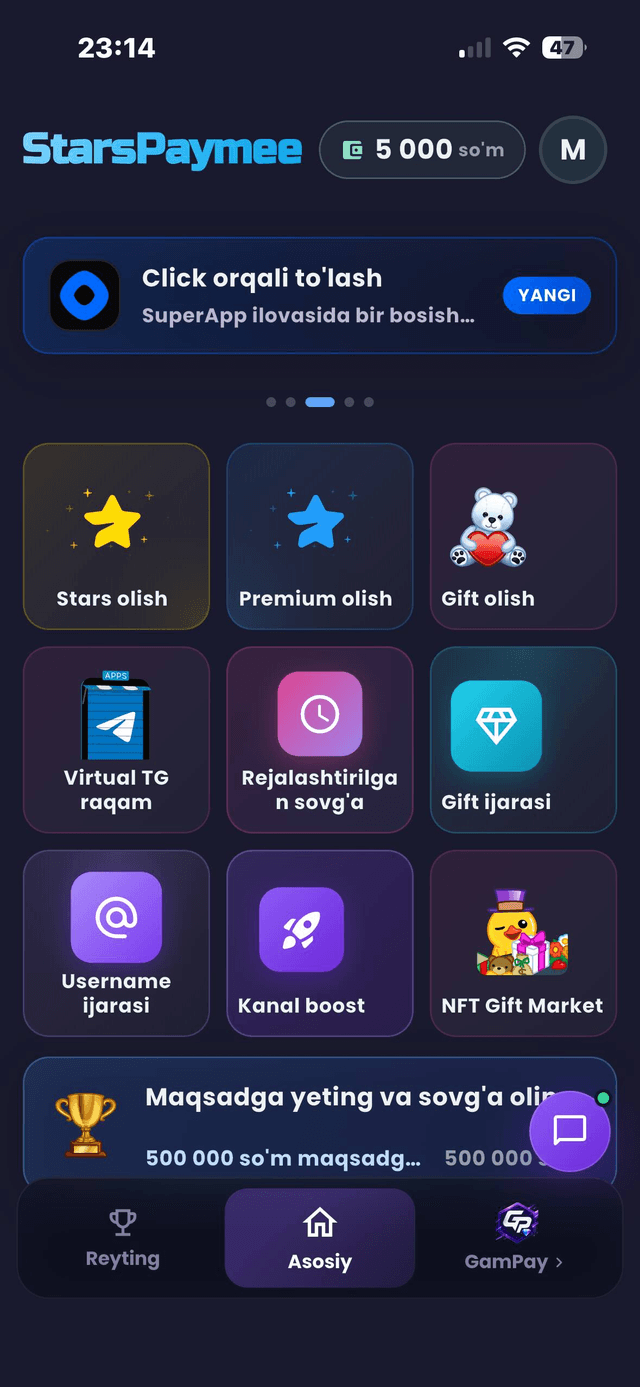
Stars, Premium, gifts, channel boost and game top-ups in one app. Pay in Uzbek soʻm with a card or your banking app.
Download the APKVersion 1.0.1 · 58 MB · Android
The file downloads straight from the StarsPaymee server.
Why the app?
Every service in one place
Stars, Premium, gifts, channel boost, username and gift rentals, GamPay — on a single screen.
Pay in soʻm
UzCard, HUMO, Click, Payme, Paynet, Uzum Bank, Beepul, Alif and cash. No foreign card needed.
No password to invent
You sign in through Telegram. The app never asks for a login or password.
How to install
Download the file
Tap the button above — the APK lands in your Downloads folder.
Allow the install
When you open the file Android asks: “Allow install from this source”. That is the normal step for any app outside the Play Store.
Tap Install
It takes a few seconds, then the app appears on your home screen.
Sign in with Telegram
Open the app, sign in with your Telegram account and place your first order.
Updates
When a new version ships, the link on this page updates by itself. Download the file again and install over the old one — your data stays.
Safety
Only download the APK from this page. Files named “StarsPaymee” on other sites have nothing to do with us.
You can start without the app too
Everything works the same in the bot — nothing to install.